
Contents
Streamlining Services Interface
In the digital landscape of Remotish, we identified a significant issue - a disjointed experience between HubSpot CRM and Teamwork. This friction created inefficiencies and a reliance on manual labor for tracking and creating tasks, a problem that was mirrored in our clients' experiences.
The Research & Discovery
Armed with this insight, I dove into comprehensive research. I sought to understand the pain points and desires of those on the front lines of HubSpot CRM, who craved an integration solution that was simple, direct, and efficient.
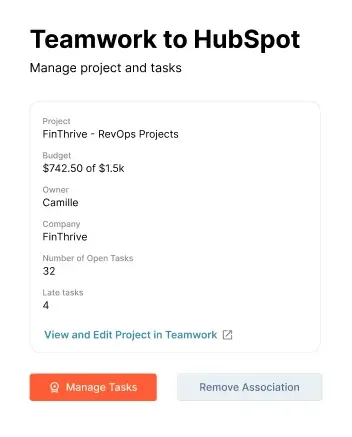
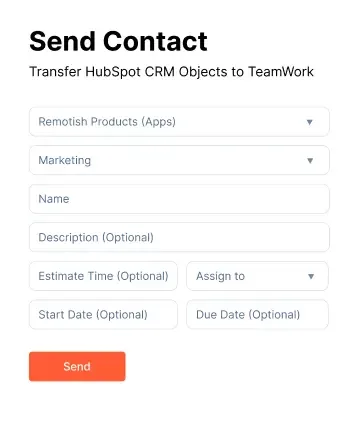
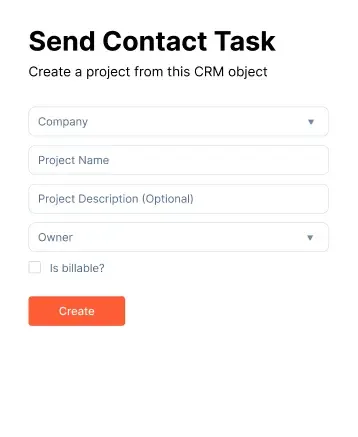
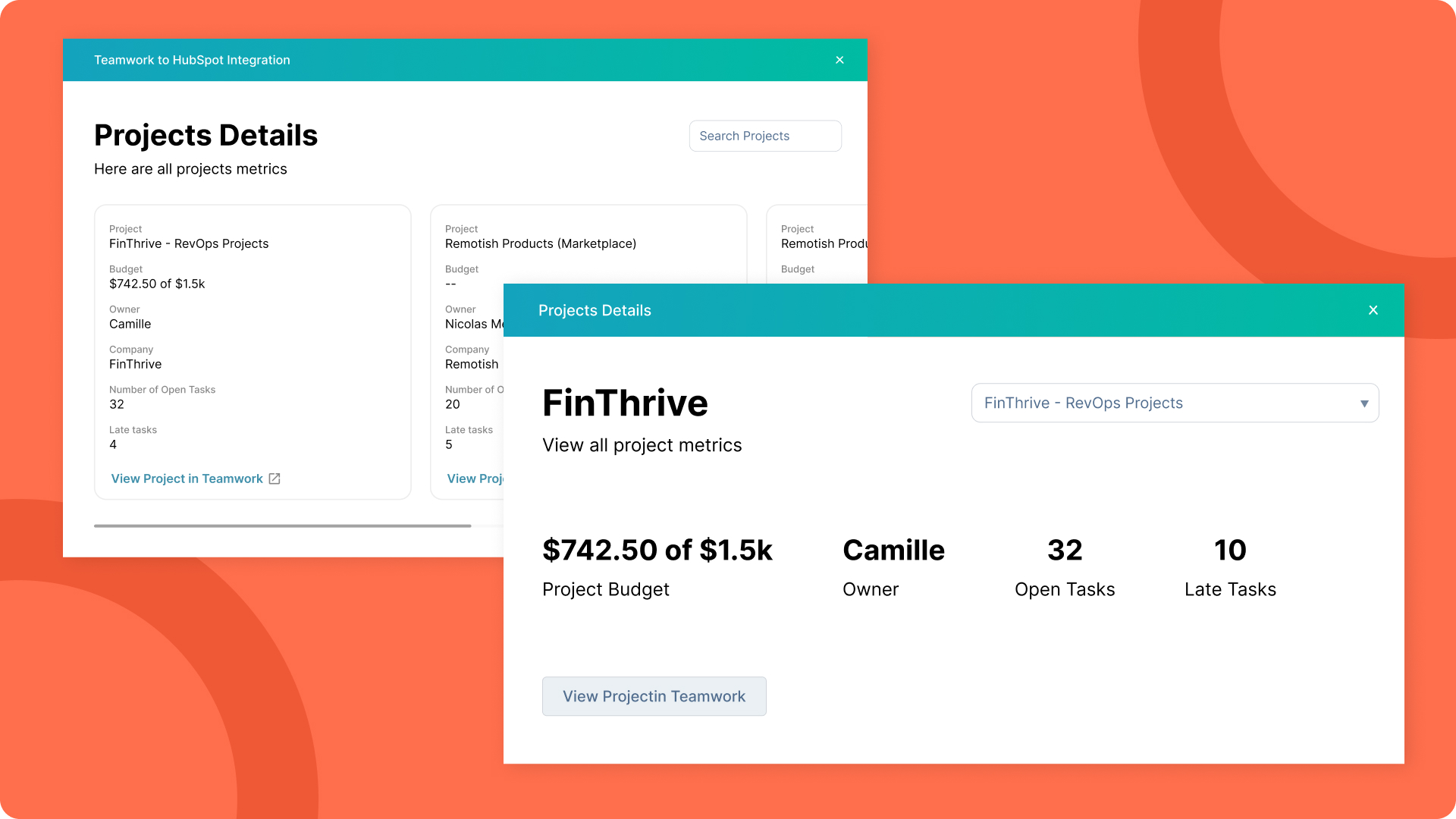
The research painted a clear picture: Users wanted a seamless area within the contacts, deals, and companies panel that displayed automated actions between the current contact and Teamwork. They also expressed the need for readily accessible Teamwork details like the number of projects, open tasks, project budgets, overdue tasks, and task ownership.
The Design
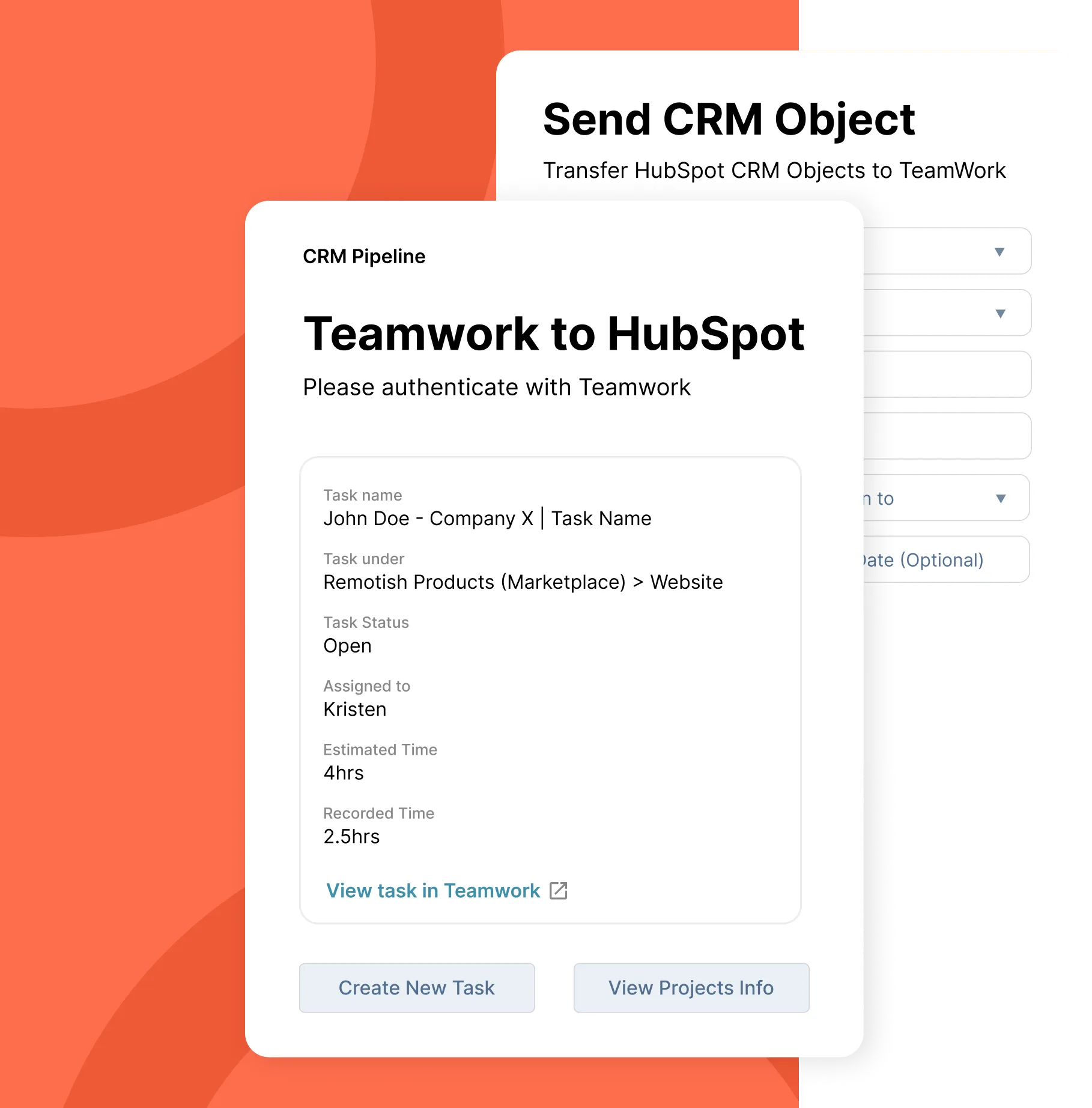
Based on my findings, I designed HubSpot to Teamwork integration, an integration solution that brought the desired simplicity and directness to the HubSpot CRM - Teamwork connection.
The product features a dedicated panel within the CRM interface for automated actions, along with a comprehensive overview of relevant Teamwork details. And yes... the name is simple like that - after researching more about these kind off integrations and apps inside the HubSpot environment and also the app marketplace of Teamwork, I've found that this name attracts the most attention and is the most searched for. SEO rich, baby!
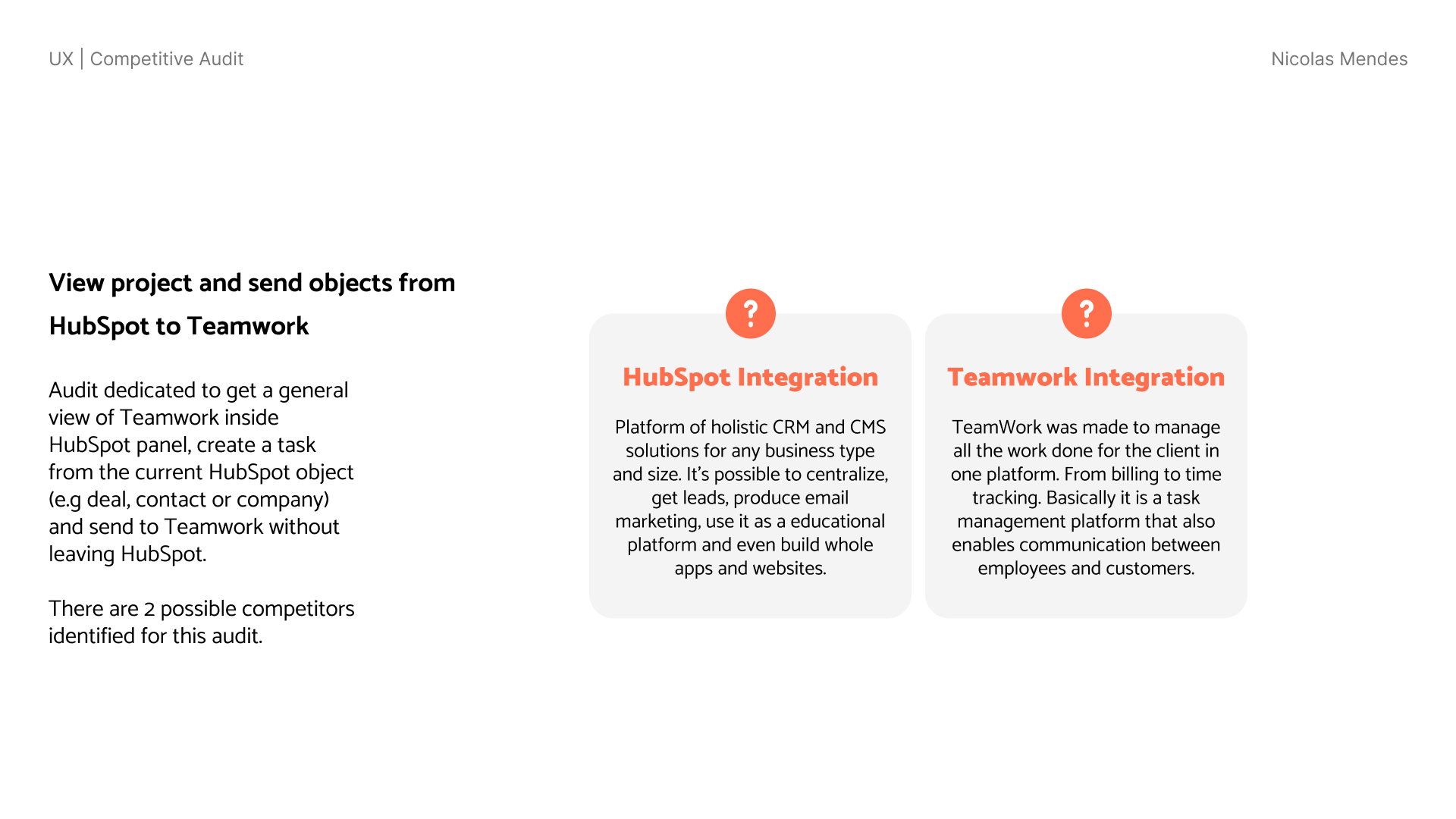
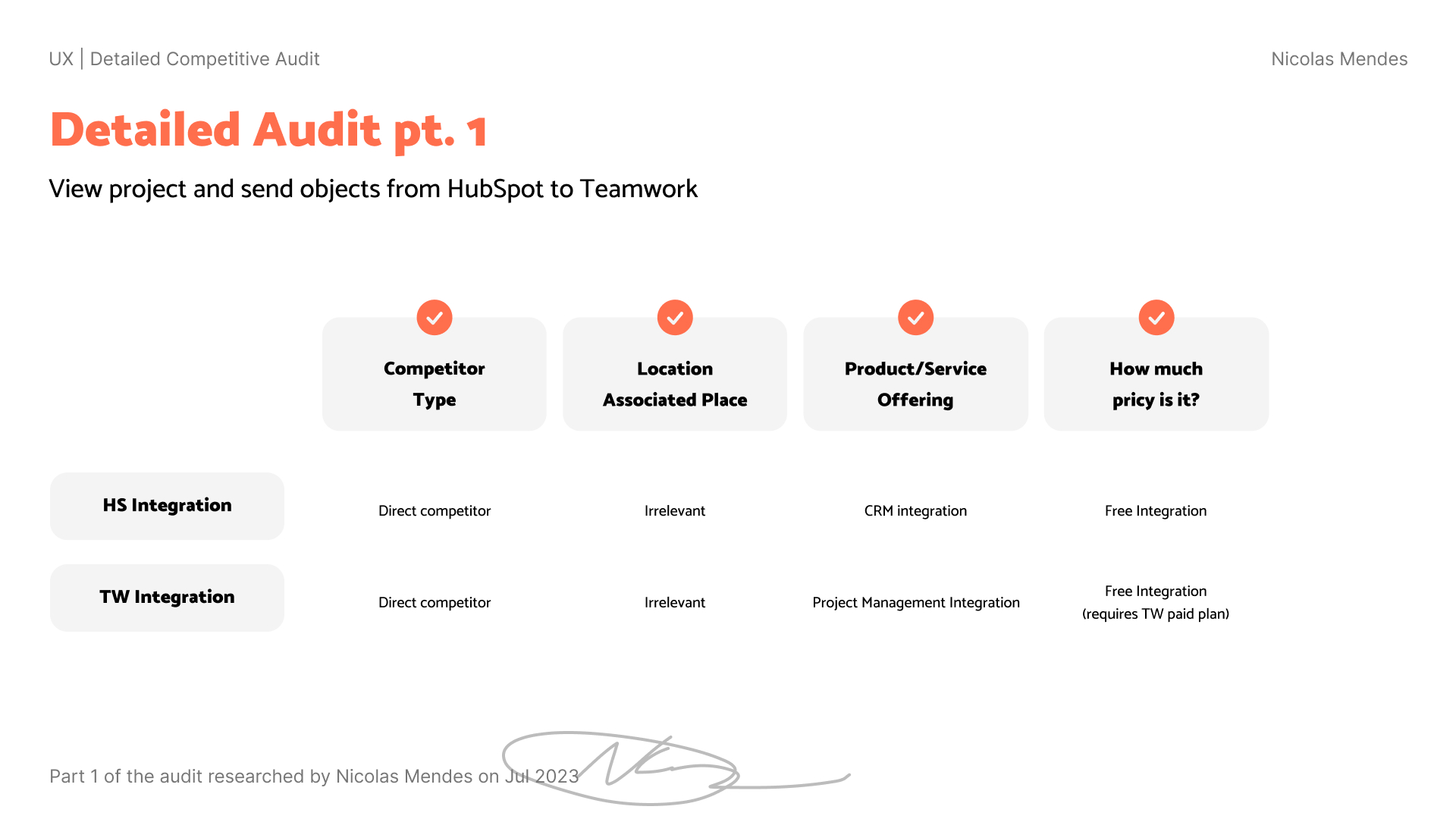
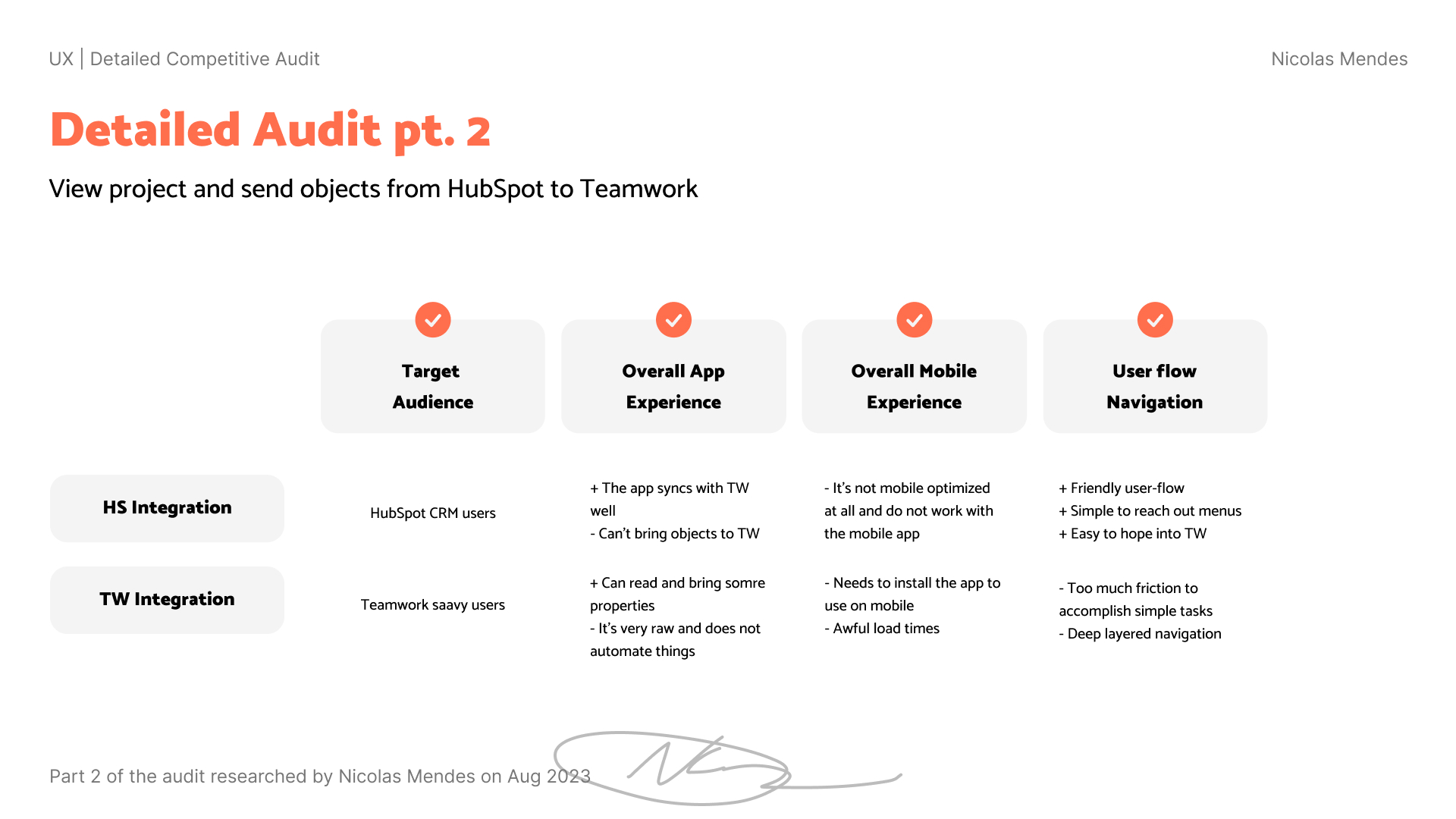
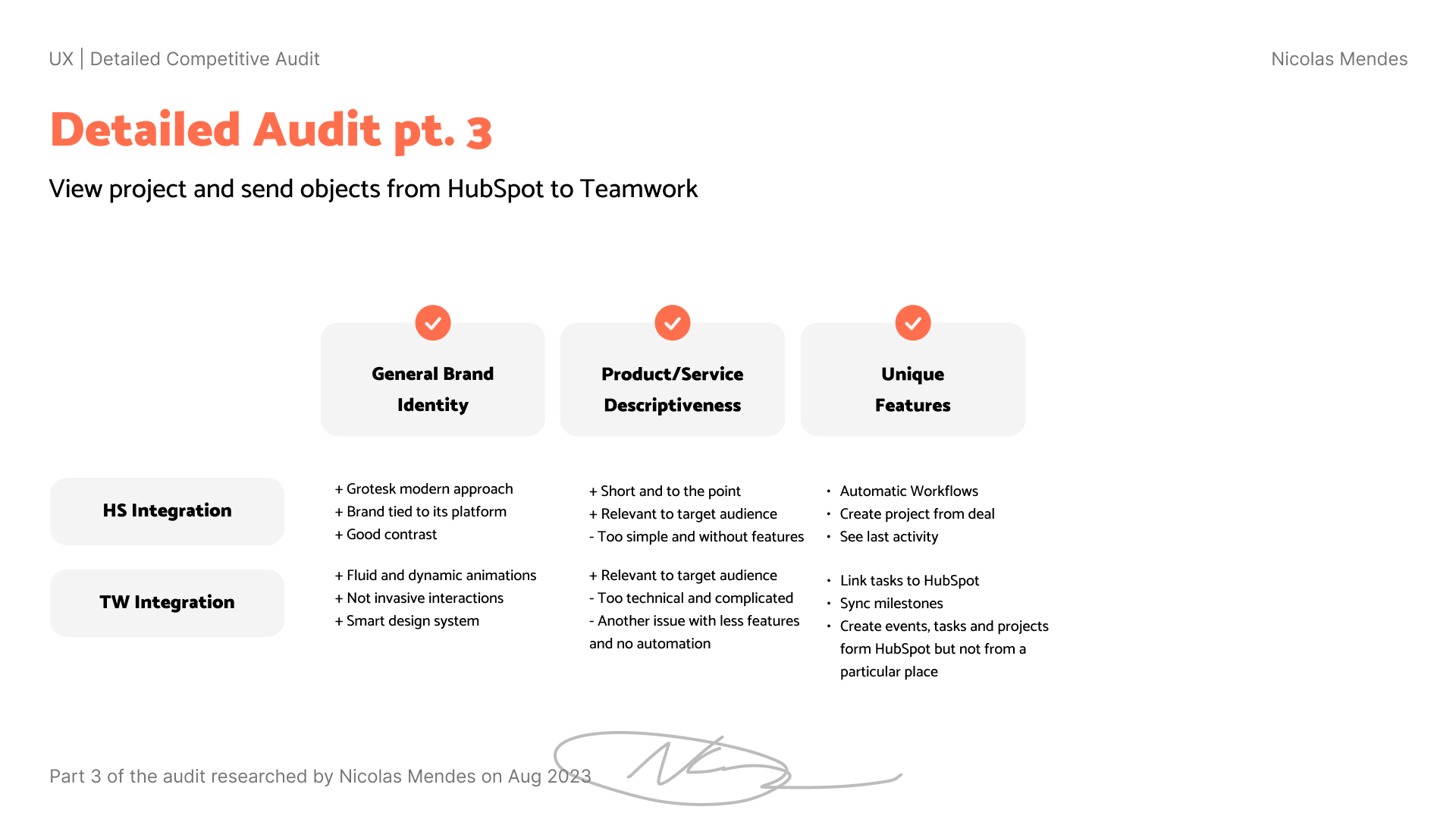
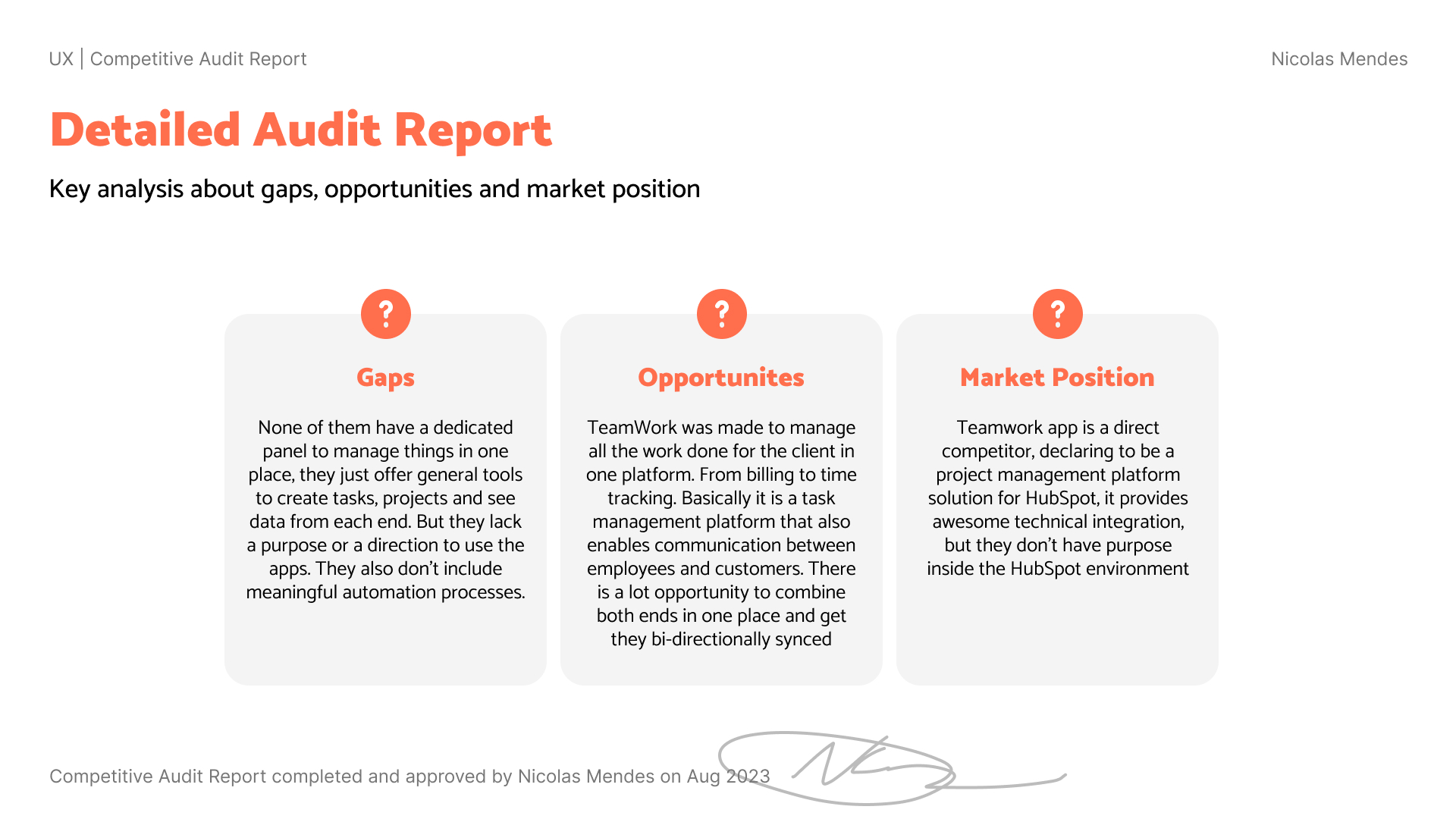
Since this micro-saas was expected to be launched with bare minimum features to then iterate and improve, I started the UX research and design process with a simple persona based user flow, a competitive audit and wireframes.
Expected Results
If someone didn't have a good experience during a project due to bad management, deadlines and scopes, they will be more likely to have more friction internally and with the client.
"You don't want to prepare yourself for these experiences because they can be corrosive to the culture and team in which this individual works."
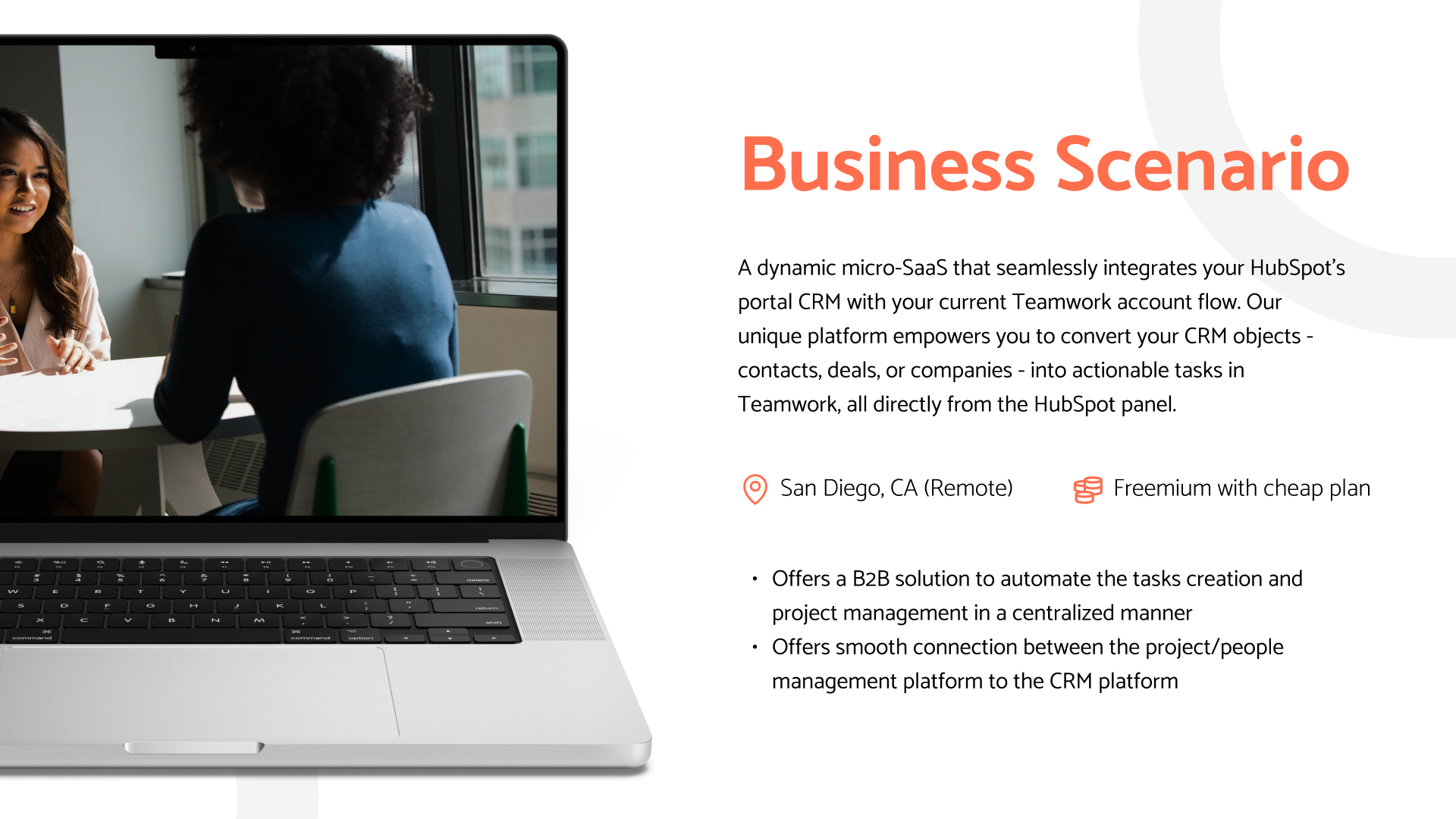
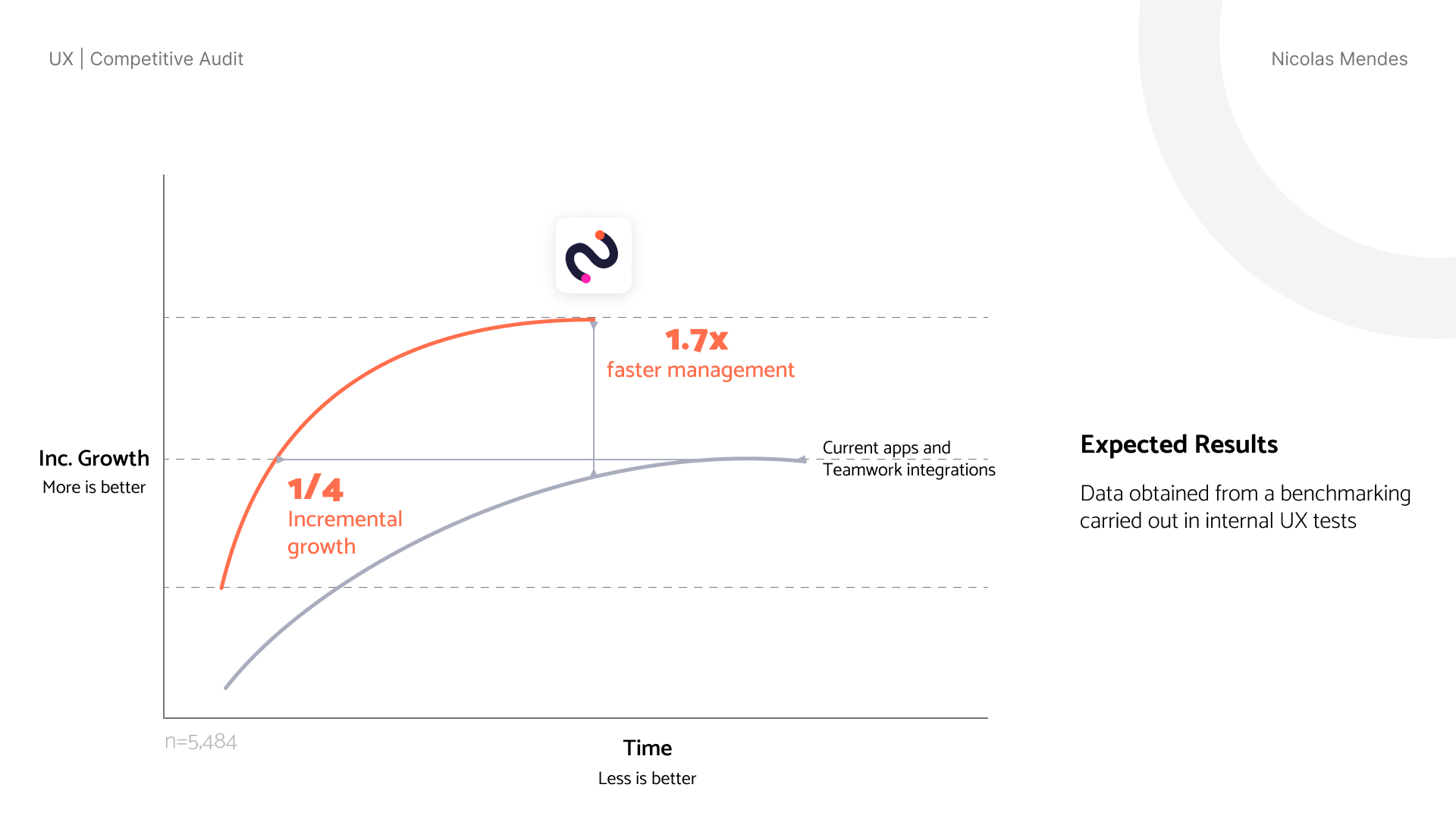
After testing internally with simple APIs, a raw, hardcoded version of the app, we found an awesome opportunity to create a micro-saas with the same functionalities, but with a more robust and scalable approach. This was the initial expectation of the micro-saas:
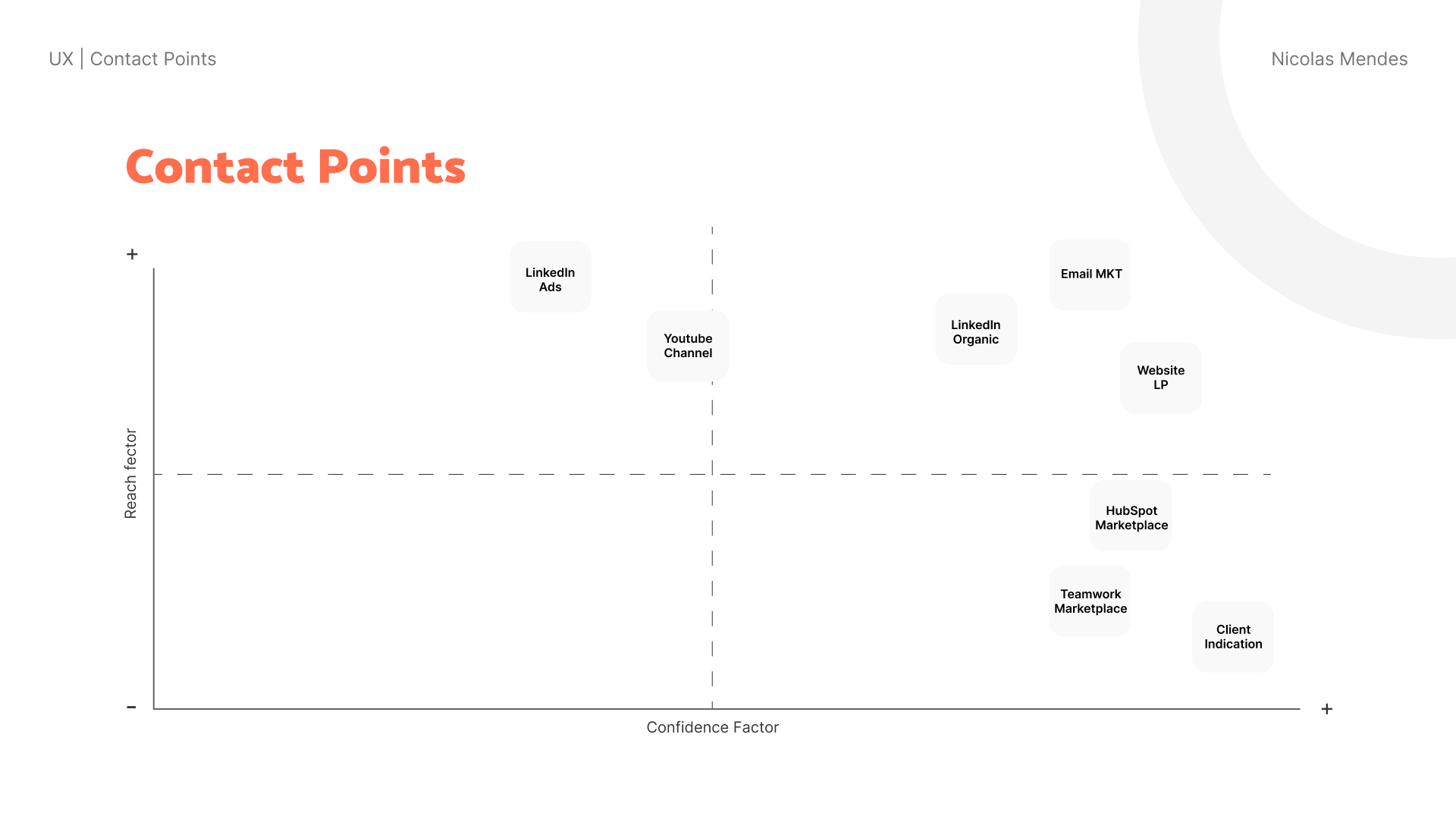
After the expected results were defined, we started to define possible contact points and personas for the micro-saas.
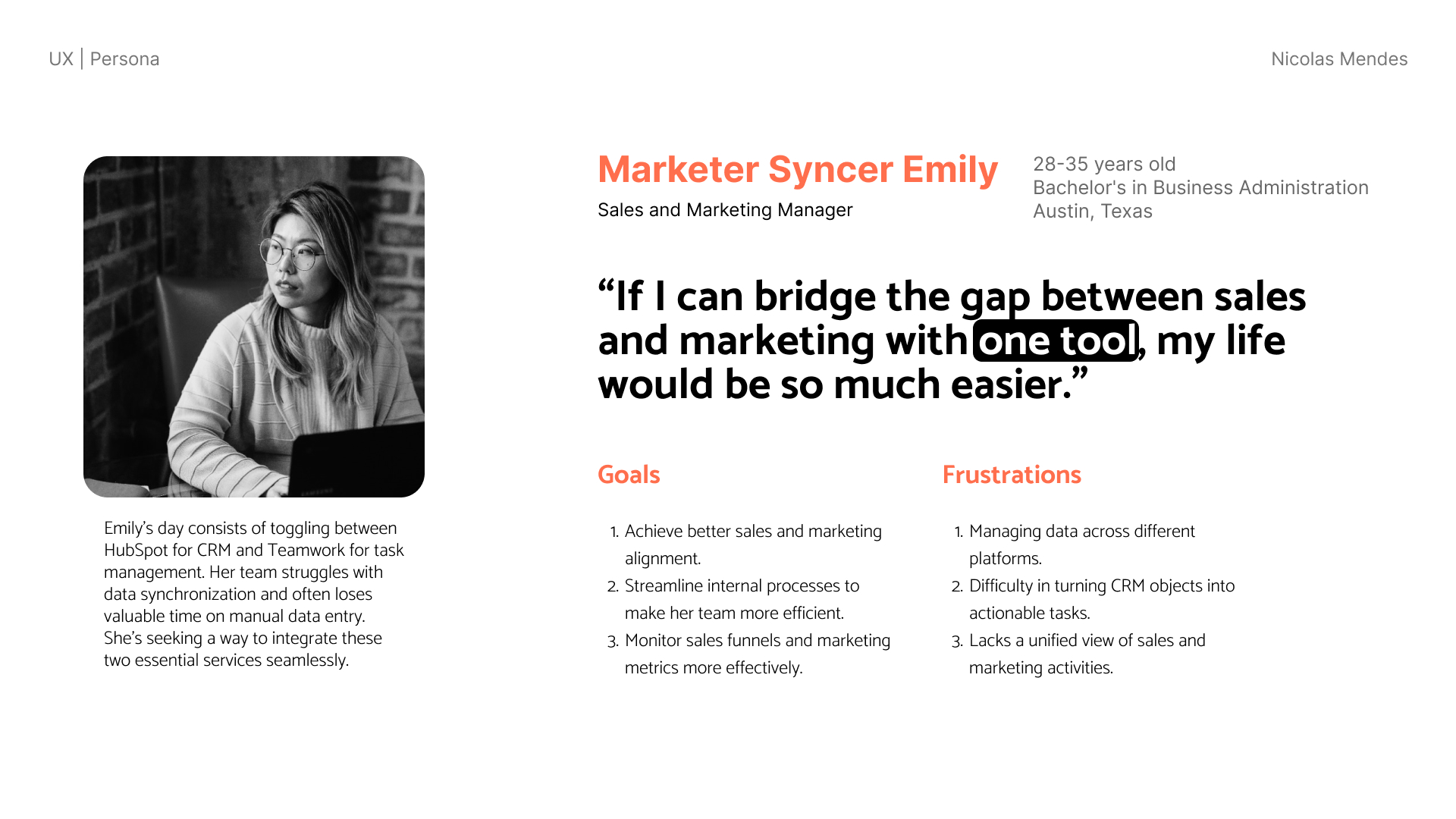
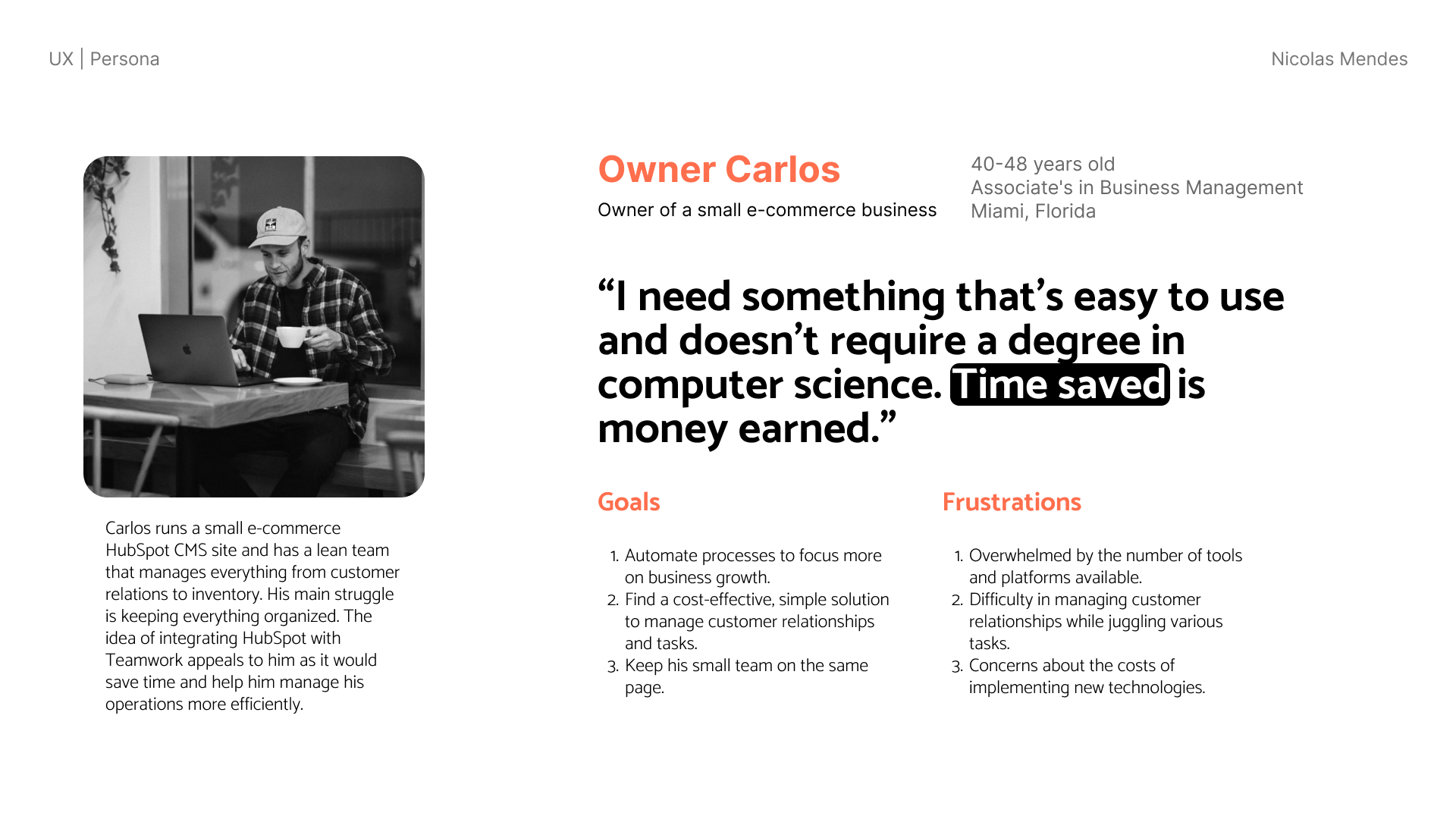
We made an awesome design session with the team to define the personas and their needs. We defined 5 personas, but we focused on 2 of them to start the micro-saas. These were the personas:
Then I started working on the brand of the micro-saas. I wanted to create a brand that was simple, but that also had a mixed personality between Teamwork, HubSpot and our desire to get a seamlessly integration.
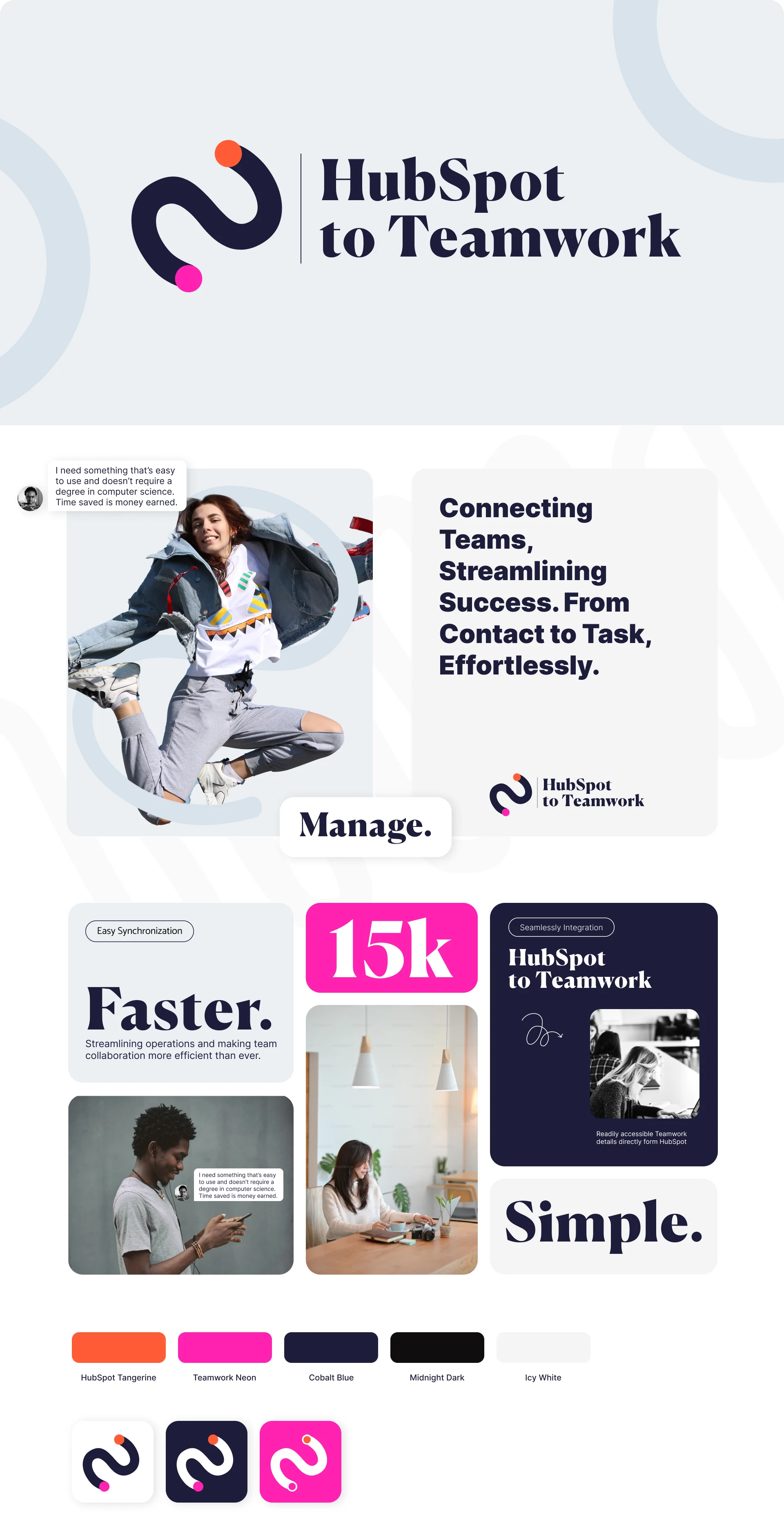
Essentially the brand personalities were defined first after the personas were defined, and then the brand was created. The brand personalities were:
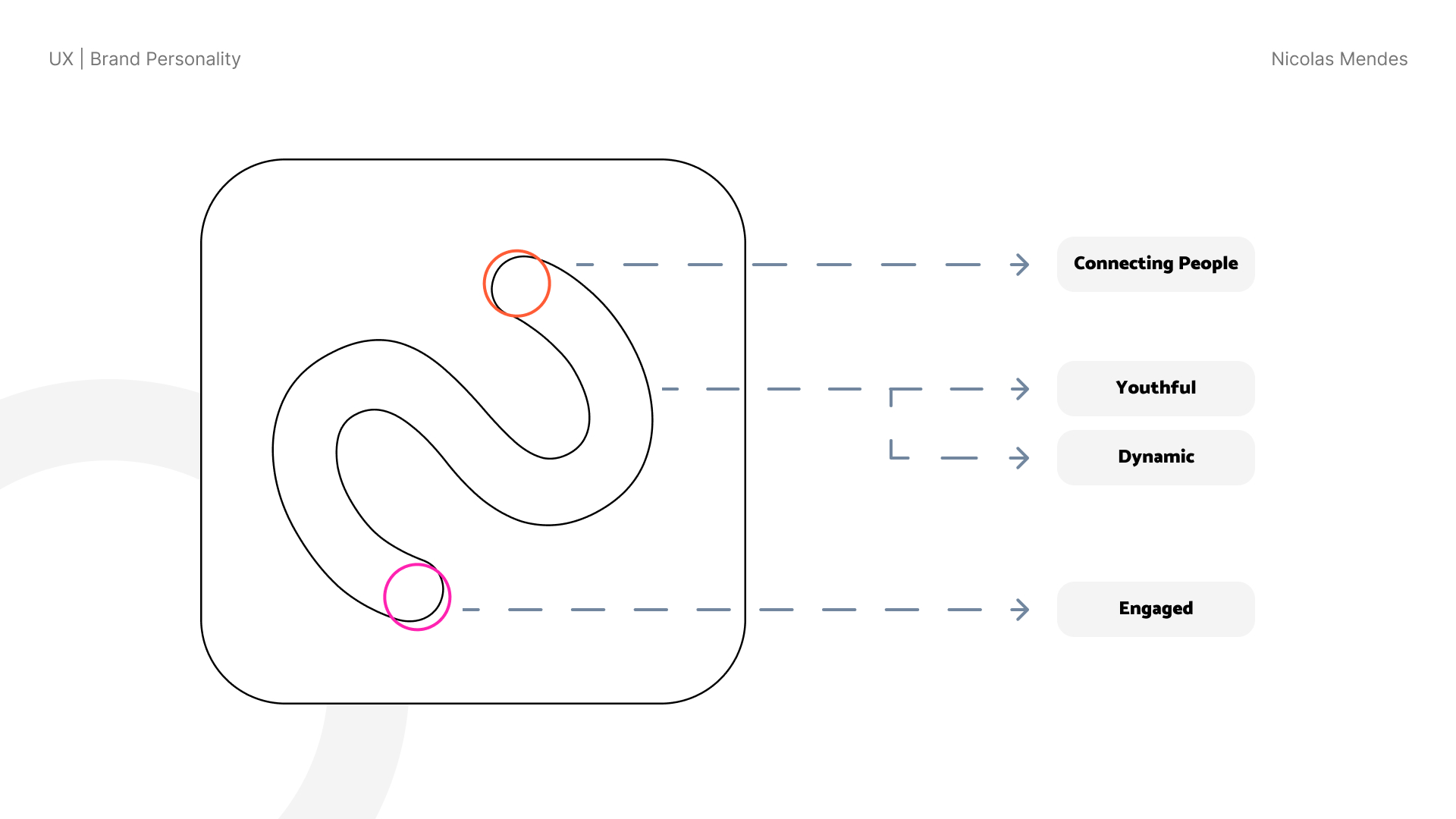
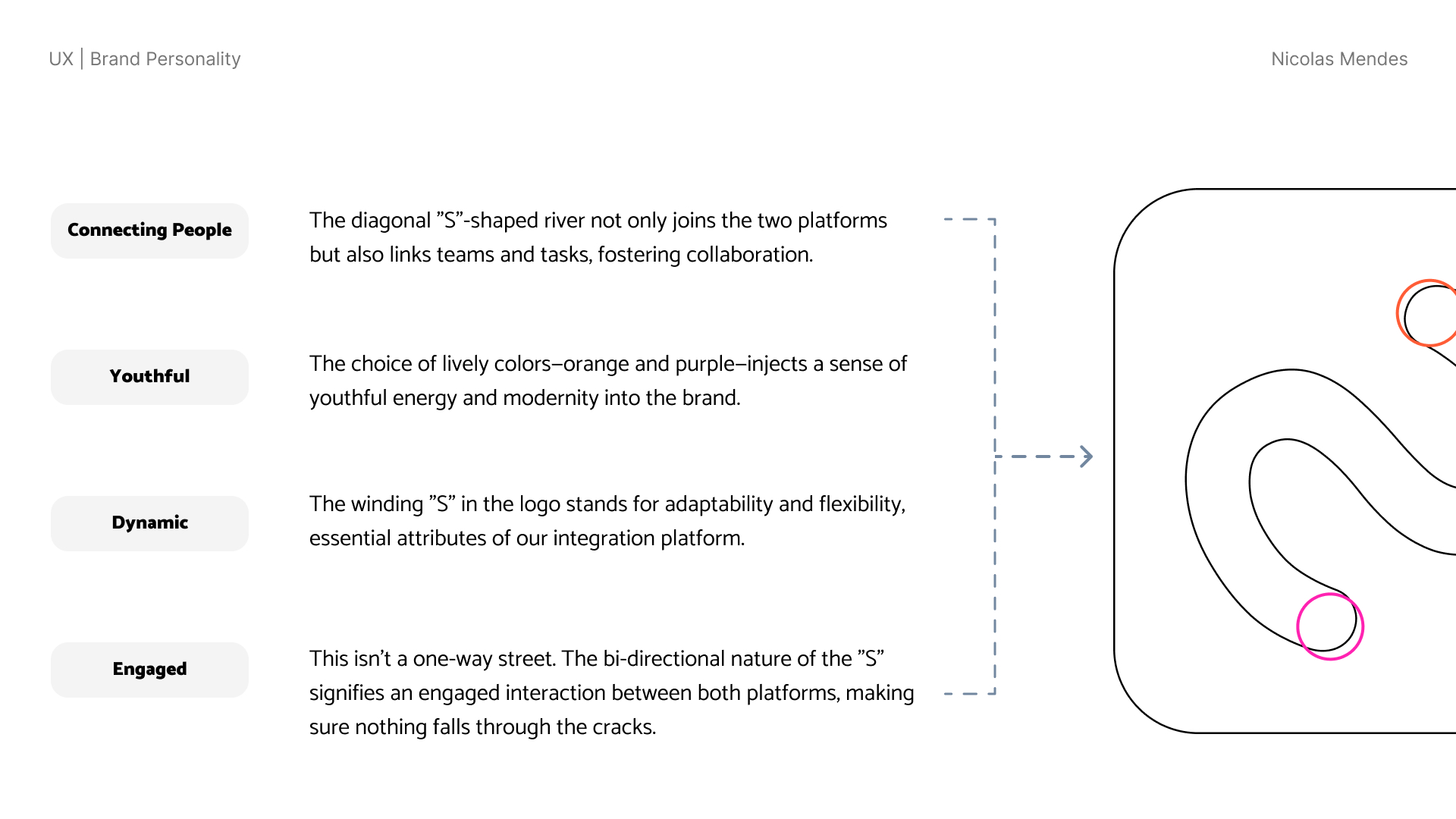
With the brand generally defined in this stage, I started to work on the user flow and wireframes of the micro-saas.
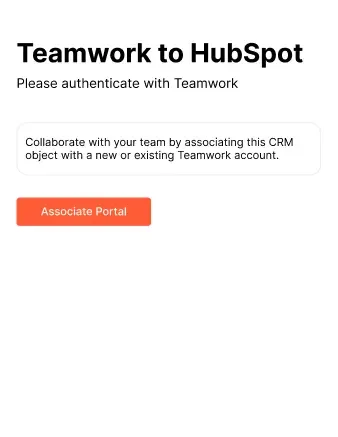
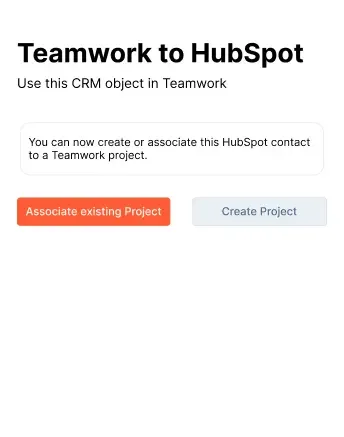
The wireframes were created with the help of the team, and we defined the user flow together based on previous internal usage and reseach. All the design was created in Figma using HubSpot design system as the base for the UI, since all the micro-saas runs inside the HubSpot CRM and it needs to be consistent with the rest of the platform.
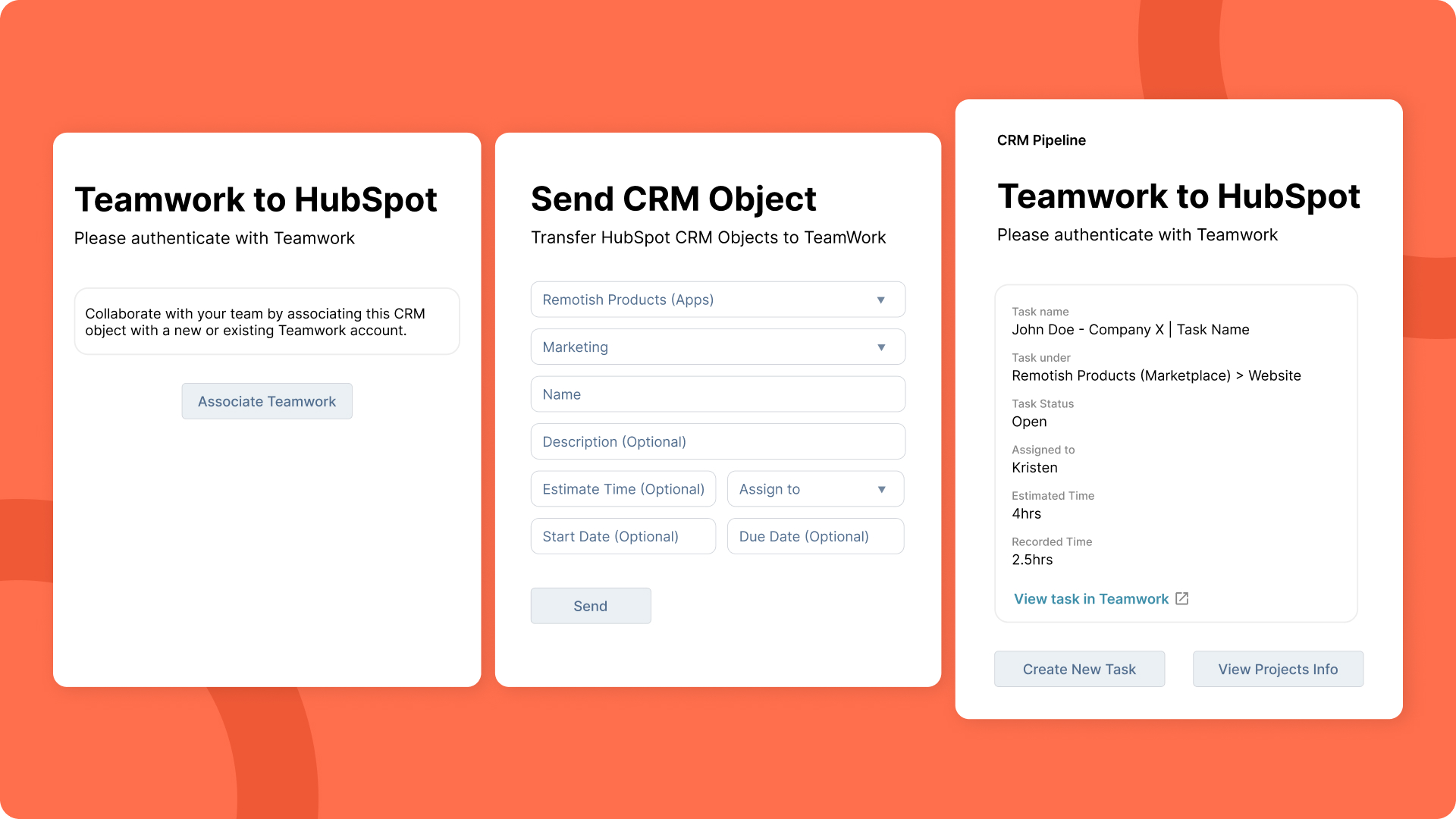
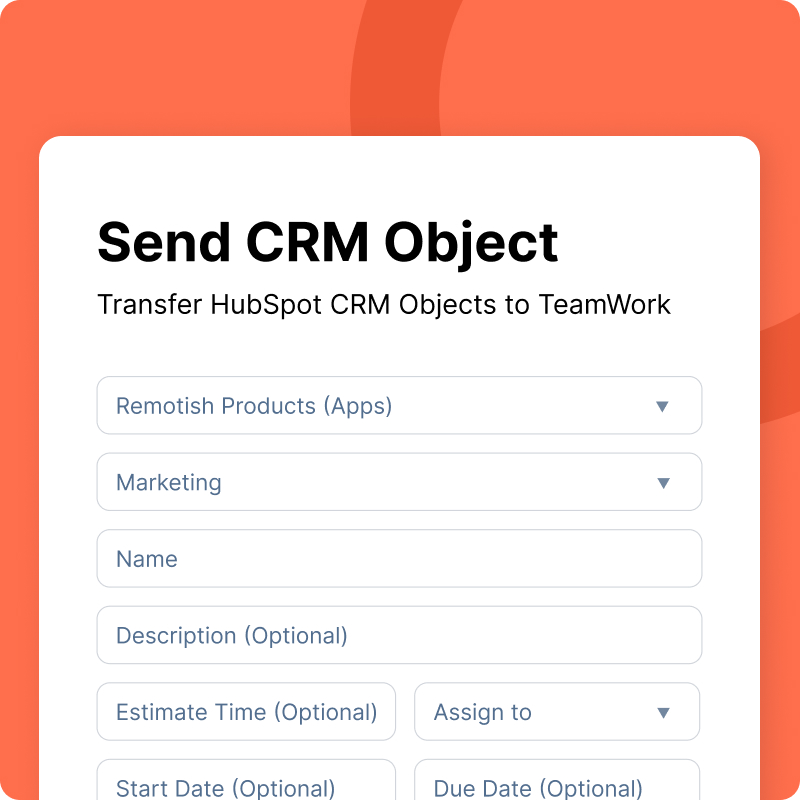
The app uses a freemium approach. In the free version we can only view metrics of Teamwork from the HubSpot CRM panel, like a small dashboard. In the paid version, we can create tasks, view matric, associate contacts with projects and more.
While our product is technically a HubSpot app, there was no standard or guideline provided for its creation. This presented a unique challenge but also a fantastic opportunity for innovation. Our approach was to follow HubSpot's UI patterns as closely as possible, ensuring that our solution would feel familiar and intuitive to its users.
I developed the initial Proof of Concept (PoC) solely using Node.js, leveraging simple HubSpot and Teamwork APIs. This stage was crucial in demonstrating the feasibility of the app, allowing us to explore and handle various behaviors. It was also a critical juncture in making the case for our solution to the broader team.
Our developers then took the reins, transforming the PoC into a fully-fledged app using Node.js and React. Their expertise and dedication were instrumental in bringing our vision to life, ensuring that our solution was robust, efficient, and user-friendly.
The Outcome and Reflections
HubSpot to Teamwork integration has significantly reduced the friction between HubSpot CRM and Teamwork, streamlining operations and making team collaboration more efficient than ever. We have effectively eliminated manual tracking and task creation, empowering teams to focus on what truly matters - achieving their business goals.
Launching this micro-SaaS was an incredibly exciting milestone for me. It was the culmination of rigorous research, innovative design, and stellar development. More than that, it was a tangible testament to the power of empathy and understanding in product design.
This project started as a response to internal pain points, but it has grown into a solution that benefits a wider audience. It's a powerful reminder of the impact we can have when we listen, empathize, and innovate. The micro-saas is more than just a tool - it's proof of what's possible when we understand our users and put their needs at the heart of what we do.
Closing Thoughts
My experience with this micro-saas serves as a reminder that understanding user needs and pain points is key to designing effective digital solutions. By actively listening to our users, we were able to build a product that solves a real problem and significantly enhances their daily work lives. The app will be launched in the HubSpot Marketplace and is currently being used in Remotish's portal, and by Remotish Agency Team for our internal workflows.